Deploy & Manage Your Dev Stack
DevPanel is a self-hosted control plane for managing Docker Compose services, remote servers, domains, and SSL — from a single beautiful dashboard.
my-project
starting…nginx
nginx:alpine
api-server
node:20-alpine
postgres-db
postgres:16
Works with your stack
Control your entire infrastructure
Built for developers who want full control without the cloud bill or the ops complexity.
Project & Service Management
Group services into projects. Deploy Docker Compose stacks and monitor container status in real time.
One-Command Install
Install the CLI from npm, run `devpanel install`, and you're live. No Kubernetes, no cloud account required.
Domain & SSL Automation
Add custom domains with automatic Cloudflare DNS and Let's Encrypt certificates. Zero nginx config.
Multi-Server Support
Manage multiple remote servers from one dashboard. Each server auto-starts a lightweight agent via Docker.
Live Logs & Metrics
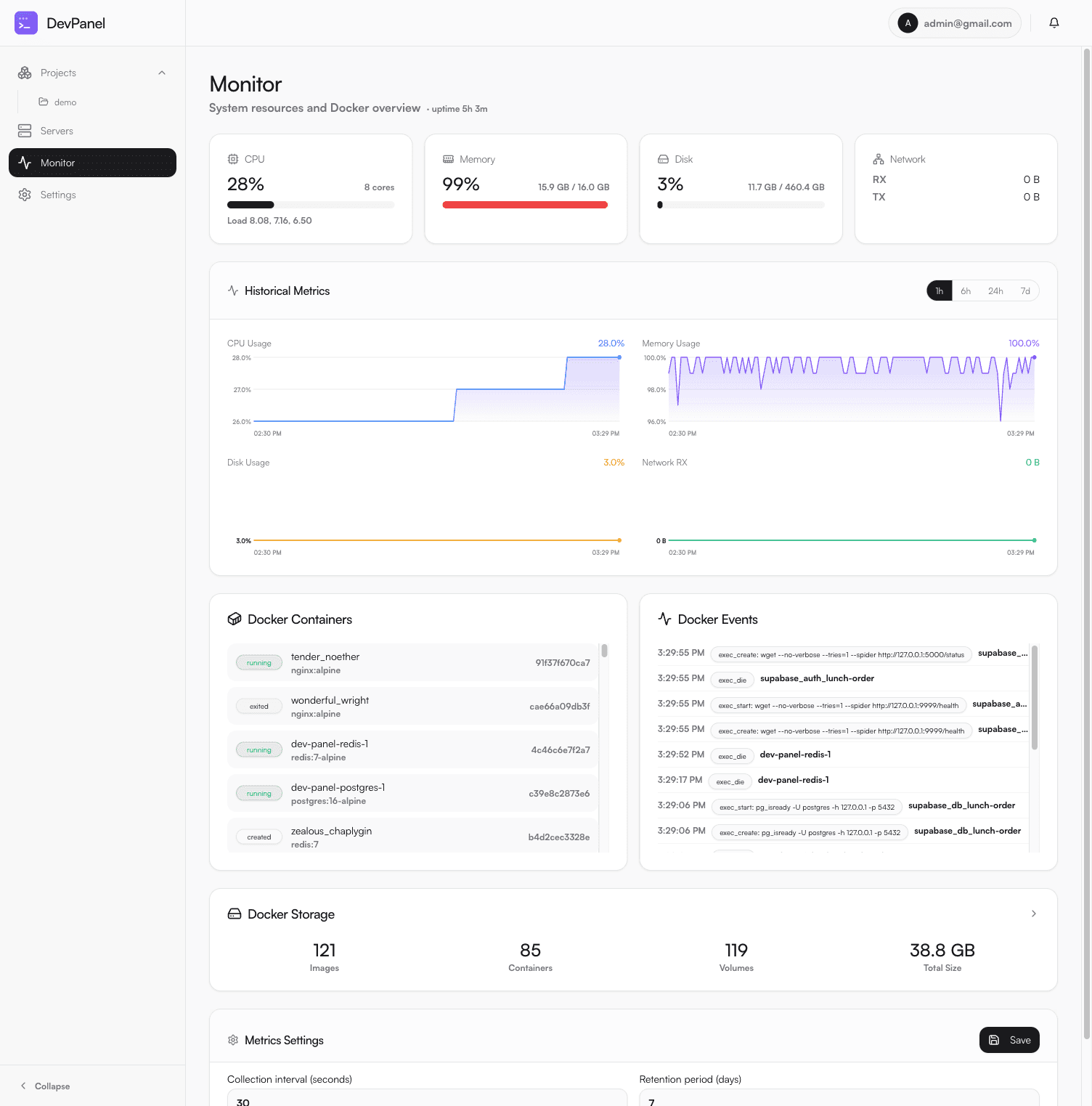
Stream container logs and view CPU, memory, and disk usage — without SSH-ing into your machines.
Encrypted Secrets
Environment variables are encrypted at rest. Secrets never leave your infrastructure.
Notifications
Get alerted on deploy completions, service crashes, and agent status changes in real time.
First-Run Setup Wizard
No configuration files. Visit the dashboard and DevPanel walks you through setup in seconds.
REST API
Full programmatic access to every resource. Integrate DevPanel into your own scripts and CI/CD pipelines.
See it in action
A clean dashboard for everything — services, servers, metrics, and domains.
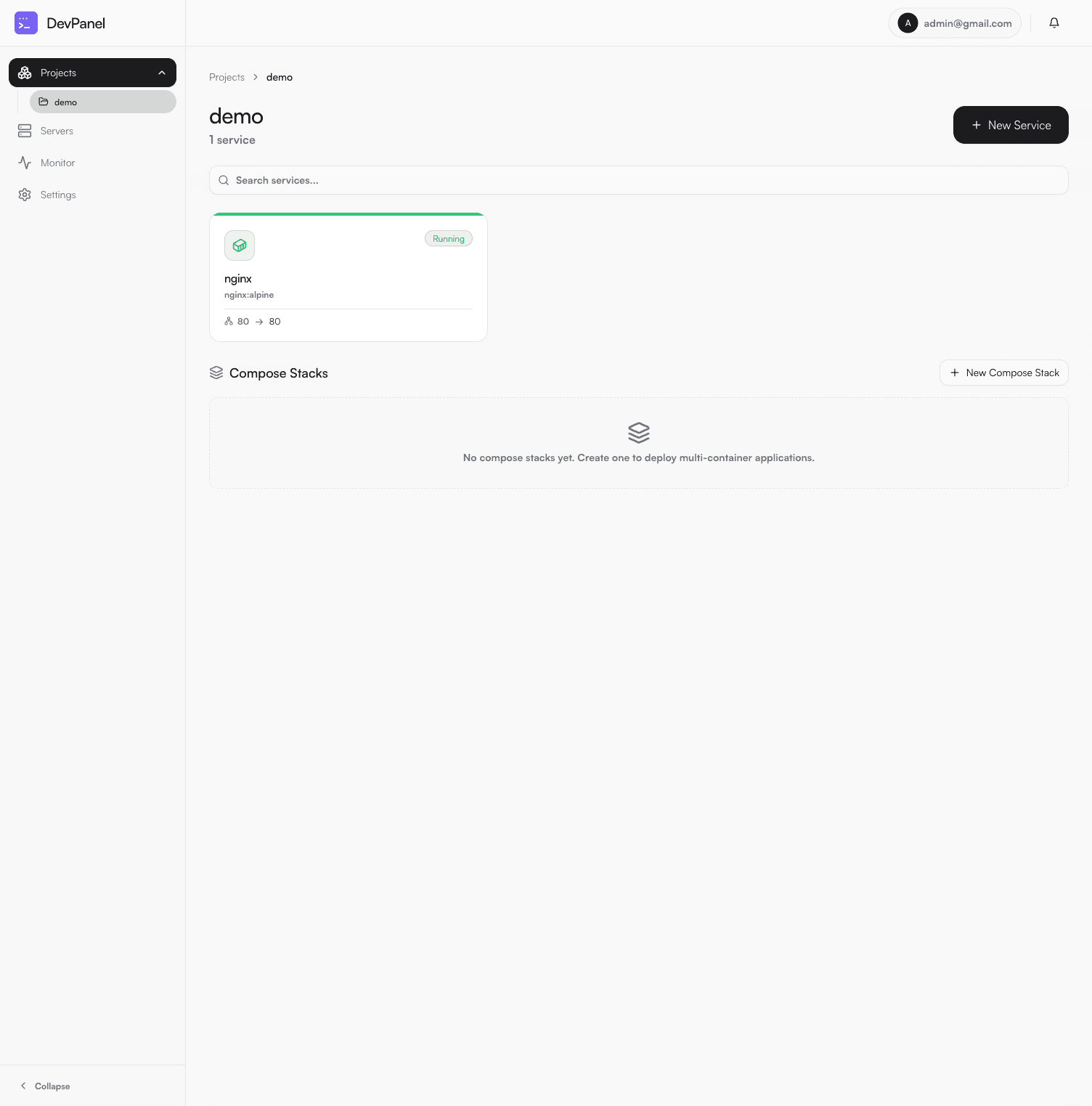
Project view — services & compose stacks
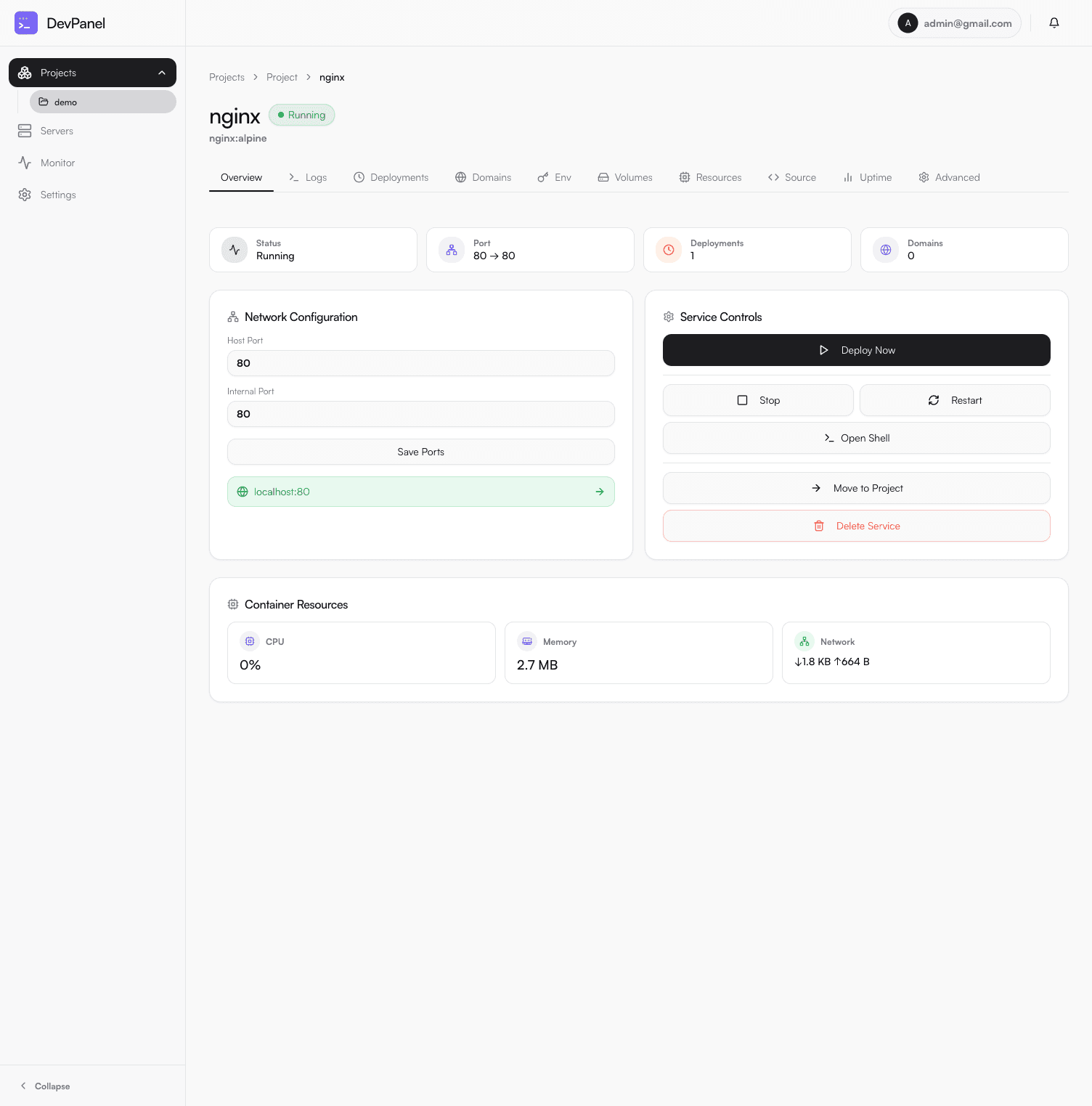
Service detail — controls, logs, env, domains
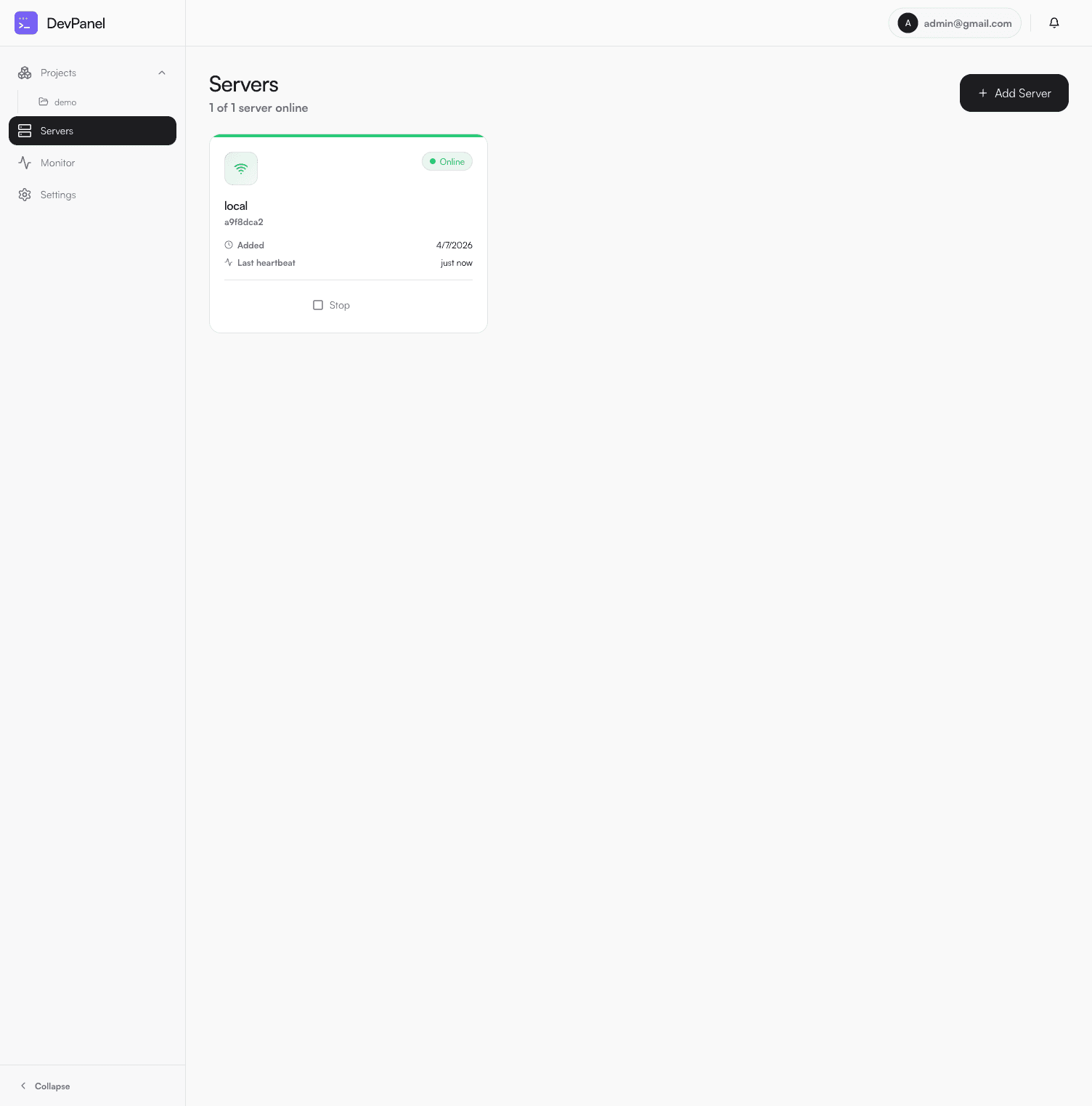
Servers — live heartbeat & agent status
Up and running in minutes
From zero to deployed service in four steps. No cloud account, no complex configuration.
Install
Install the CLI from npm, then run one command. Docker images are pulled and the stack starts automatically.
Create admin account
Visit localhost:33000 and complete the first-run wizard to create your admin account.
Add a server
Connect your first server. For local dev, DevPanel auto-starts the agent container via Docker.
Deploy a service
Paste a Docker Compose YAML, choose a server, and hit Deploy.
added 8 packages in 473ms
✓ Pulling devpanel/api:latest...
✓ Pulling devpanel/web:latest...
✓ Starting services...
Lightweight hub-and-spoke
A central control plane manages one or more remote agents. No VPN, no complex networking.
Web Dashboard
React dashboard. Manage everything from your browser.
API Server
NestJS backend. Auth, project/service CRUD, domain management.
Worker
Async job processor for deploys, log streaming, health checks.
Agent
Lightweight sidecar per server. Executes Docker commands locally.
Frequently asked questions
Is DevPanel really free?
Yes. DevPanel is free to use with no paid tiers, no usage limits, and no telemetry. You run it on your own infrastructure.
What are the system requirements?
Docker Engine 24+ and Docker Compose v2. Works on Linux (x86_64 / arm64) and Windows 10/11 with Docker Desktop. Minimum 1 GB RAM.
Can I manage remote servers?
Yes. SSH into your remote server, run the agent Docker command with your DevPanel URL and server token, and it appears in your dashboard within seconds.
How are my environment variables stored?
Secrets are encrypted with AES-256 before being written to PostgreSQL. The encryption key lives only in your .env file on your machine.
Does DevPanel support multiple users?
Currently DevPanel is designed for a single admin user or small trusted team. Multi-user RBAC is on the roadmap.
Can I use my own Docker Compose files without changes?
Yes. DevPanel uses standard Docker Compose v2 syntax. Any valid compose.yml works without modification.
A Better Way to Manage Your Stack
DevPanel gives you the power of a full DevOps platform without the complexity or cost. Install it in under a minute and start deploying.